
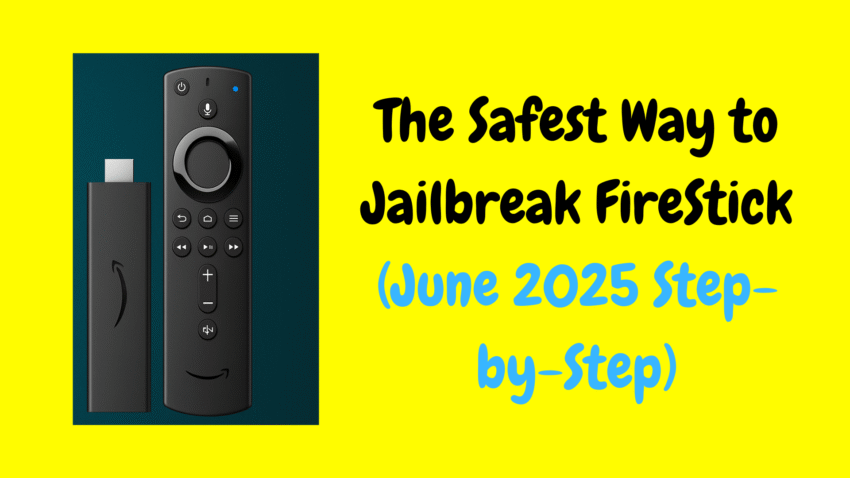
Millions of people use Amazon’s Fire Stick to stream movies, TV shows, sports, and more—all in HD and often in 4K. A buzzword you’ll probably hear in Fire Stick communities is “jailbreaking.” That phrase sometimes brings confusion or even fear, evoking images of hacking or breaking the law. In this guide, we’ll explore what “jailbreaking” actually means for your Fire Stick, how to do it safely and legally, and how to enhance your streaming experience—without risking your device, data, or peace of mind.
1. What Does “Jailbreaking” a Fire Stick Mean?
The term “jailbreaking” originates from other platforms like iPhones—where users remove software restrictions to achieve unfettered access. When it comes to the Fire Stick, the term is used loosely to describe customizing your device beyond what Amazon permits by default.
In reality, you’re not hacking your Fire Stick’s firmware or violating laws. Instead, you’re:
-
Enabling “Apps from Unknown Sources” under Developer Options
-
Side‑loading external apps like Downloader, Kodi, Plex, or VLC
-
Bypassing Amazon’s app store to install third-party apps—none of which break your device legally
It’s legal, widely practiced, and Amazon hasn’t taken down Fire Sticks for this. Still, it’s important to understand why it matters and how to do it safe and smart.
2. Why People “Jailbreak” Their Fire Stick
a) Get the Apps You Want
Some apps—like Kodi, Plex, VLC, and IPTV tools—aren’t available in Amazon’s Store. Side‑loading lets you install them easily.
b) Customize the UI
You can use launchers or skins for a unique look, functionality, or organization.
c) Enhance Streaming Content
Legal free services, indie apps, network streamers, and media players become accessible this way.
d) Connect Network or Personal Media
Files on your PC or NAS often need apps like Kodi or Plex, which require side‑loading.
e) Expand Audio/Video Formats
Install external players for formats or subtitles not supported by the built-in player.
3. Is Jailbreaking Legal?
✅ Yes, absolutely—jailbreaking your Fire Stick is legal. You control your own device, and Amazon doesn’t forbid installing third-party apps.
❗ However, how you use those apps determines legality:
-
Legitimate usage: Playing your own movies, accessing public domain films, streaming from free legal services
-
Illegal usage: Using apps to watch copyrighted movies or shows without permission
Make sure your apps and content sources are licensed, ad-supported, or your own, and you’ll stay fully within legal boundaries.
4. Step-by-Step: How to “Jailbreak” (Side-Load) Your Fire Stick
1. Enable Developer Options
-
Settings → My Fire TV (or Device & Software) → About
-
Click the device name repeatedly until “You are now a developer” appears
-
Go back to find Developer Options
-
Activate Apps from Unknown Sources
2. Install the Downloader App
Search for Downloader in the Amazon App Store and install—it’s trusted for side‑loading.
3. Download and Install an APK
-
Open Downloader
-
Enter the URL for the app’s official APK (e.g., Kodi)
-
Download and install, then delete the installer to save space
4. Launch the App
Use your home or apps menu to access the newly side‑loaded app.
5. Must-Have Apps After Jailbreaking
Here are legal, powerful apps to enhance your Fire Stick:
5.1 Kodi
Ideal for managing your own media (files on network drives or home servers). Customizable interface with skins and playlists.
5.2 Plex
Creates a personal media server; streams your collection anywhere. Also includes free ad-supported content catalogs.
5.3 VLC / MX Player
Support subtitles, multiple video formats, and even external streaming links—great for compatibility.
5.4 Stremio
A hub to watch licensed content from addons, combining your library, streams, and recommendations.
5.5 Pluto TV / Tubi (via Amazon App Store)
Include these official free apps for legally licensed content.
6. Keeping Side-Loaded Apps Safe
1. Use Trusted Sources
Only download official app sites—Kodi, Plex, etc.—and avoid sketchy APK repositories.
2. Practice Limited Permissions
Later under Settings → Applications → Manage Installed Applications, revoke unnecessary permissions.
3. Install a VPN
A reputable VPN on your Fire Stick helps protect privacy—especially with sideloaded apps.
4. Clear Cache Often
Older versions or heavy use can create lag; go to each app’s settings to clear cache and data.
5. Update Responsibly
Check for updates on trusted sites regularly and download newer APK versions carefully.
7. Enhancing Your Jailbroken Fire Stick Setup
Organize Home Screen
Place your most-used apps on the top row or use launchers like Wolf Launcher for efficiency.
Customize Visuals
Install alternate launchers, skins, or custom icons through Kodi or launchers.
Use External Players
Install MX Player or VLC for formats that Kodi’s default player may not handle.
Link to Personal Media
Use Kodi or Plex to access movies, music, and photos on your home server or NAS.
Set Up Safe Profiles
Use Kodi’s profile management to restrict access for kids or guests.
8. Troubleshooting Tips
App Crashes or Won’t Load
Reinstall the app, clear cache, or ensure you’re using a compatible version.
Buffering or Playback Issues
Check internet speed (20+ Mbps for HD/4K), clear app cache, or switch players.
App Permissions Problems
Review permissions in Fire Stick settings and revoke anything excessive.
Reverting Changes
If needed, uninstall side-loaded apps to return to default Fire Stick behavior.
9. Avoiding Illegal Content
Jailbreaking gives freedom—but your content choices define legality.
✅ Legal Uses:
-
Your personal videos or audio
-
Documentaries or public domain content
-
Free content via Stremio addons, Kodi official repos, Plex’s ad-supported catalog
❌ Illegal Uses:
-
Pirated movies or TV episodes
-
Illegal IPTV sources
-
P2P or torrent-based streaming
Stay within legal frameworks for safe, worry-free streaming.
10. Why Jailbreaking Isn’t a One-Way Street
This setup isn’t permanent or irreversible. You can disable “Apps from Unknown Sources”, uninstall third-party apps, and reset Home settings anytime. No system files are modified, and hardware warranty remains intact.
11. Burning Issues Answered
Will Amazon cancel my Fire Stick?
No — side-loading is allowed and Fire Stick is not tied to warranties like smartphones.
Does it slow down the device?
It can if your device has too many unused apps. Clear cache, manage storage, and side-load lean apps to keep things smooth.
Is it harder to use than official apps?
Not really. You still launch apps from the home screen, and many sideloaded apps mimic official ones closely.
12. Final Recommendations
-
Jailbreaking your Fire Stick via side-loading is legal, easy, and reversible.
-
Stick to trusted, licensed, and open-source apps for safety and legality.
-
Use a VPN, manage permissions, keep the device clean and organized.
-
Explore customization, personal media, and legal free content confidently.
Trusted Side-Loaded Apps (Summary Table)
| App | Benefit |
|---|---|
| Kodi | Custom media center, library support, skins |
| Plex | Personal media server + ad-supported streaming |
| VLC / MX Player | Supports more formats and subtitles |
| Stremio | Aggregates licensed content via addons |
| Downloader | Tool for side-loading other trusted apps |
Conclusion
Jailbreaking your Fire Stick simply unlocks freedom—clean, user-friendly innovation without illegal or risky content. With legal apps like Kodi, Plex, VLC, Stremio, and more, you can enrich your viewing world without compromising safety, security, or integrity.
If you’d like help installing or optimizing any of these apps, organizing your home screen, or setting up media servers or VPNs, feel free to ask—I’m here to help!