
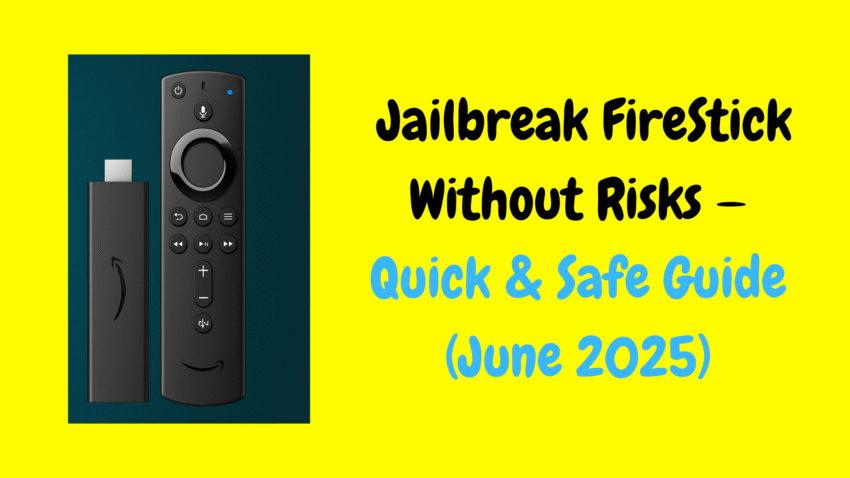
Streaming has changed the way we enjoy entertainment. From movies and TV shows to live sports and documentaries, there’s now endless content at our fingertips. One of the most popular devices for home streaming is the Amazon Fire TV Stick. It’s compact, affordable, and transforms any regular television into a smart TV.
But did you know you can expand its potential even further? That’s where the concept of “jailbreaking” a FireStick comes in. In this detailed 2025 guide, we’ll explain what jailbreaking a FireStick means, how it works, the benefits it offers, and how you can safely do it without breaking any laws.
What Does “Jailbreaking” a FireStick Mean?
Let’s clarify a common misconception upfront: jailbreaking a FireStick is not illegal by itself. It’s simply the process of modifying your Fire TV Stick’s settings to install third-party apps that are not available in the official Amazon Appstore.
Unlike smartphones or game consoles, jailbreaking a FireStick doesn’t require hacking or altering the operating system. Instead, it involves enabling an option called “Apps from Unknown Sources” and sideloading apps via safe installation tools like Downloader.
These third-party apps can give you access to a wider variety of content, from movies and TV shows to music and live TV, depending on what apps you choose to install.
Why Do People Jailbreak a FireStick?
The primary reason people jailbreak a FireStick is to access content beyond what’s available on Amazon’s official platform. While the FireStick already offers apps like Netflix, Prime Video, Hulu, Disney+, and more, some users want to explore additional streaming options or customize their media experience.
Common Benefits of Jailbreaking a FireStick:
-
Install apps not available in the Amazon Appstore
-
Access international or regional apps
-
Use open-source media players like Kodi
-
Explore IPTV apps for live TV channels
-
Enjoy free and legal streaming apps
-
Customize the FireStick interface and settings
Important: The apps you choose to install after jailbreaking will determine whether your use remains legal. Always opt for reputable, open-source, or officially licensed apps.
Is Jailbreaking a FireStick Legal in 2025?
Yes — the act of jailbreaking a FireStick is completely legal. When you purchase a Fire TV Stick, you have the right to change its settings and install apps of your choice.
However, the legality question arises based on how the device is used after jailbreaking. Installing apps that stream copyrighted content without proper licensing is illegal in most regions. As a responsible user, it’s best to stick to legal and open-source streaming options available in the third-party space.
Safety Tips Before Jailbreaking Your FireStick
Before you proceed with the jailbreak process, here are a few things to keep in mind to ensure a safe experience:
-
Always use apps from trustworthy sources
-
Avoid clicking on unknown ads or suspicious links
-
Use a reliable VPN to safeguard your internet activity
-
Regularly clear cache and app data to keep your device running smoothly
-
Keep your FireStick software updated
These precautions help maintain both your online privacy and device performance while enjoying the expanded streaming features.
How to Jailbreak a FireStick (2025 Step-by-Step)
The jailbreaking process for a FireStick is surprisingly easy and requires no technical skills or tools. Follow these simple steps:
Step 1: Prepare Your FireStick
-
Turn on your FireStick and navigate to the home screen.
-
Go to Settings (gear icon on the far right of the menu).
-
Select My Fire TV.
-
Click Developer Options.
-
Turn on Apps from Unknown Sources.
-
Enable ADB Debugging (optional, but sometimes helpful).
This allows your FireStick to install third-party apps that are not part of the official Amazon Appstore.
Step 2: Install the Downloader App
Downloader is a free, safe app that lets you download APK (Android Package) files directly onto your FireStick.
-
From your FireStick home screen, go to Find > Search.
-
Type Downloader and select it in the results.
-
Click Download or Get to install.
-
Open Downloader once installed.
Step 3: Use Downloader to Install Third-Party Apps
Once you have Downloader installed, you can use it to install third-party apps by entering the app’s APK download URL.
-
Open Downloader.
-
In the URL field, type the direct download link for the APK you want to install.
-
Click Go.
-
Wait for the file to download.
-
Select Install.
-
Once done, choose Done or Open.
And that’s it — your FireStick is now effectively “jailbroken” and ready to use with new apps beyond the Amazon Appstore.
Popular Apps to Install on a Jailbroken FireStick (Legal Options)
After jailbreaking your FireStick, you’ll want to explore apps that offer great content while remaining legal and safe. Here are some popular choices:
1. Kodi
An open-source media center that lets you organize and stream your personal content libraries and connect to official add-ons for music, photos, and videos.
2. Pluto TV
A free streaming service offering 100+ live TV channels and an on-demand library of movies and TV shows.
3. Plex
A media server platform that allows you to stream your personal collection of movies, music, photos, and more across multiple devices.
4. Tubi
A completely free, ad-supported streaming service with thousands of movies and TV shows.
5. Crackle
Another free, ad-supported platform offering a solid selection of Hollywood movies and original programming.
Should You Use a VPN After Jailbreaking a FireStick?
Even when using legal apps, it’s a good idea to use a VPN (Virtual Private Network) for added privacy and security. A VPN masks your internet connection and protects your personal data from prying eyes, including public Wi-Fi networks.
Benefits of using a VPN:
-
Hides your real IP address.
-
Secures your browsing and streaming activity.
-
Bypasses geographic content restrictions on legal services.
-
Reduces the risk of ISP throttling during heavy streaming.
Always choose a VPN from a reputable provider with a strict no-logs policy and fast connection speeds suitable for streaming.
How to Keep Your Jailbroken FireStick Safe and Optimized
A jailbroken FireStick gives you access to a world of content, but it’s essential to maintain your device’s health and performance.
Tips to Optimize Your FireStick:
-
Regularly clear app cache and data to free up space.
-
Uninstall unused apps.
-
Restart your FireStick periodically.
-
Avoid sideloading apps from unreliable or shady sources.
-
Keep your device software up to date for security improvements and new features.
By following these tips, your FireStick will remain safe, fast, and efficient.
Pros and Cons of Jailbreaking a FireStick
Like any device modification, jailbreaking has its upsides and downsides. Here’s a balanced look:
Pros:
-
Access to a broader range of apps.
-
Ability to install open-source media centers like Kodi.
-
Enjoy live TV apps not available on the Appstore.
-
Greater control over your FireStick’s content and features.
Cons:
-
Potential exposure to security risks if installing unverified apps.
-
Risk of voiding warranty (in rare cases, if improper tools are used).
-
May require additional maintenance (clearing cache, updates, etc.)
-
Certain third-party apps might be unstable or poorly supported.
Common Myths About Jailbreaking a FireStick
Let’s debunk some of the myths often associated with jailbreaking:
-
“It’s illegal.”
The act of jailbreaking is legal. It’s how you use your jailbroken device that matters. -
“It voids your FireStick warranty.”
Simply enabling apps from unknown sources and installing third-party apps won’t void your warranty. -
“You need to be a tech expert to jailbreak a FireStick.”
Not true. It takes just a few clicks and can be done by beginners. -
“Jailbroken FireSticks always have illegal apps.”
Not necessarily. Many open-source and legal apps are available for sideloading.
Conclusion
Jailbreaking a FireStick is a simple, legal way to unlock your device’s full potential and access a much wider variety of streaming options. By following safe practices, installing trustworthy apps, and using a VPN for privacy, you can enjoy a richer entertainment experience while keeping your device and data secure.
In 2025, the FireStick remains one of the most flexible, user-friendly, and customizable streaming devices available. Whether you’re a movie buff, sports fan, or live TV enthusiast, jailbreaking your FireStick responsibly opens the door to a world of high-quality, on-demand content — all from the comfort of your living room.
Would you like me to write a similar guide on the best legal apps for a jailbroken FireStick or how to set up Kodi add-ons legally? I’d be happy to help — just let me know!